Log console
The Log console SDK is where you can see the app logs.
Log console screen looks like this:
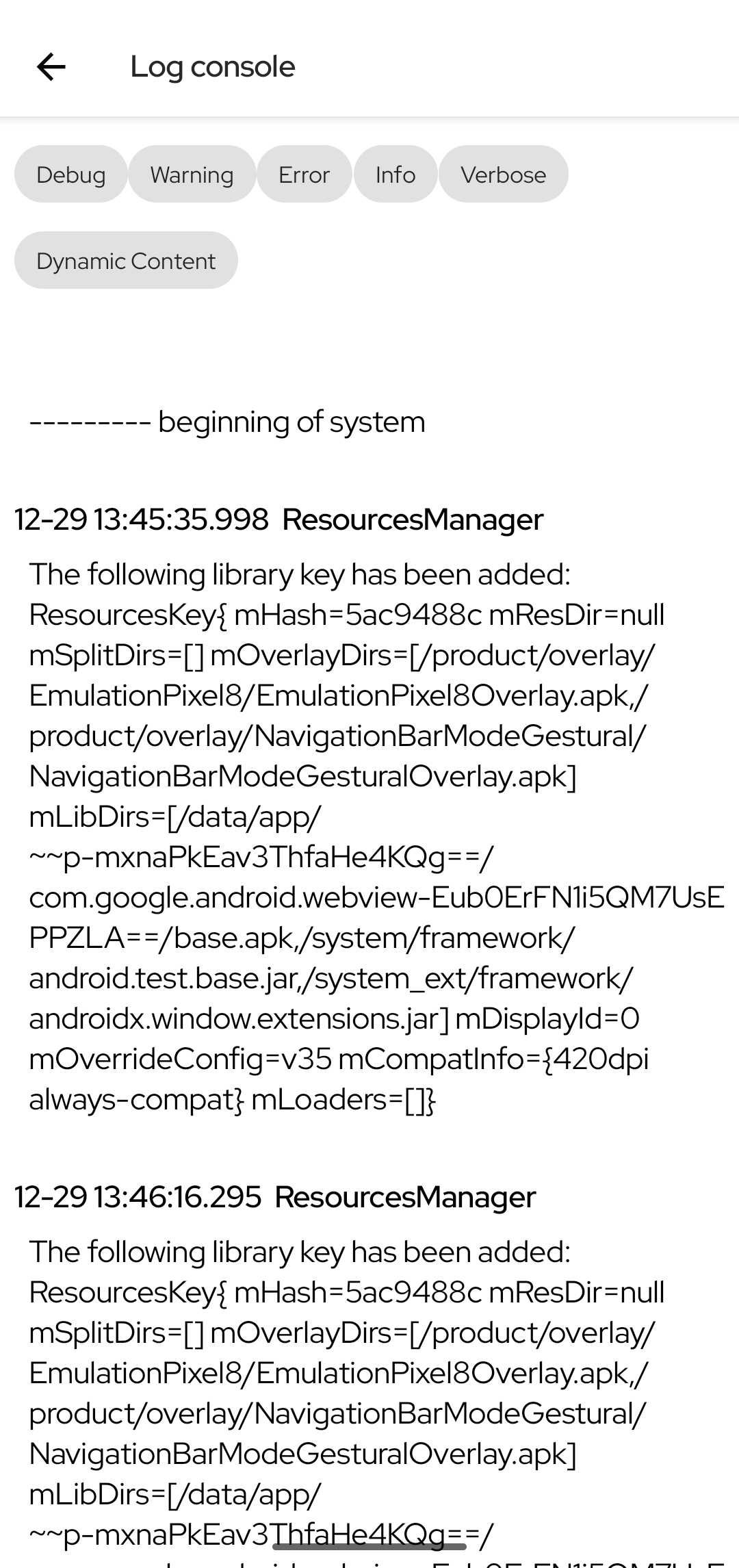
Start using Log console SDK
To start using it, you need to add the feature module to your build.gradle, you can include it only to non-production flavors:
clientDevImplementation("com.poqstudio:codequality.logconsole:$poqSdkVersion")clientStagingImplementation("com.poqstudio:codequality.logconsole:$poqSdkVersion")Koin modules
Log console SDK dependencies are injected using Koin. Log console SDK injects automatically all the necessary Koin modules when you include the feature module into your project. This is the Koin module included:
logConsoleModule
LogConsoleSettings
The Log console SDK is configurable via LogConsoleSettings. Through LogConsoleSettings you can configure:
filters:id: unique id for the filter.name: string name to display.filter: string to match on the log entry.isSelected: initial selection state.
Deep link
Log console SDK provides this deep link:
LogConsole (://logconsole): it opensLogConsoleActivity.